


Top Channel Lists (Bouquets) for Enigma 2
9. Henksat (Dutch) – his latest lists are available via OpenPLi feed!
10. Cyrus (General)
These channel lists are the ones you need to check (order is random!). There are maybe even more channel lists but I decided to put only the most known ones and those that are still regularly updated. Regular updates are very important for satellite channel lists as they can become quickly obsolete. All links will lead you straight to original authors topic on forum or to original authors website (Vhannibal). In some cases you can expect that you will have to register in order to be able to download files from forum.
If you think that I forgot to add something, please leave a comment, I will try to edit my article as soon as possible.
RECOMMENDATION
My favorite channel list is the one from Team Red. They are listening to the users and are constantly updating it. Impressive!
For discussion please visit this thread:
https://www.satnigmo.com/forum/index.php?threads/top-channel-lists-for-enigma-2.561/
Top Windows Tools for Enigma 2 Receivers
This is my list of must have tools for Windows if you own satellite receiver with Enigma 2 software.
1# Dreambox Control Center
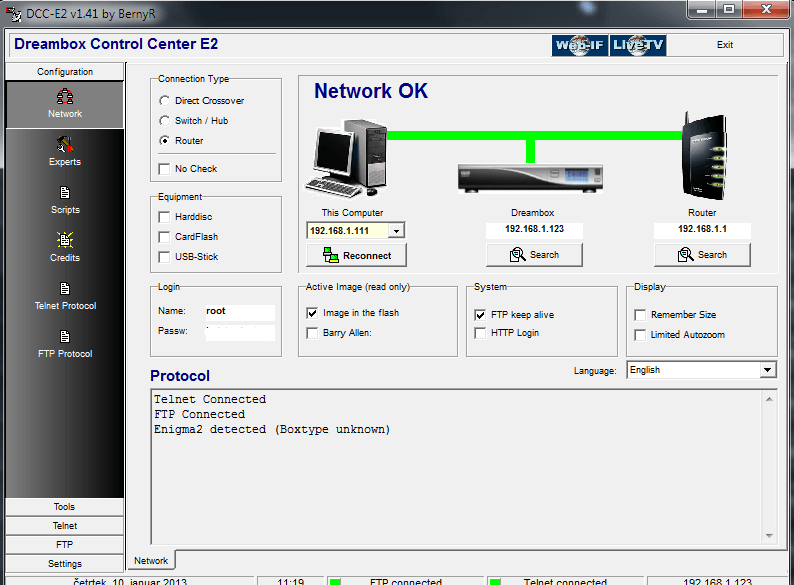
Amazing tool which nowadays looks a bit outdated but it offers nice functionalities and is very popular among sat enthusiasts. I use this software only for its telnet function (alternative is software called Putty) which is used for connecting to E2 receiver and executing various commands. I usually use telnet for restarting softcams, changing telnet password with “passwd” command and creating .ipk files with opkg-build command (you need to install opkg tools plugin via image feed). DCC also have FTP functionality but I rather use WINSCP FTP/SSH client which is better in my opinion. Latest version is 1.50 and it is from year 2012. You can download it from the authors website which is in German language!
2# Funshare CCcam Control
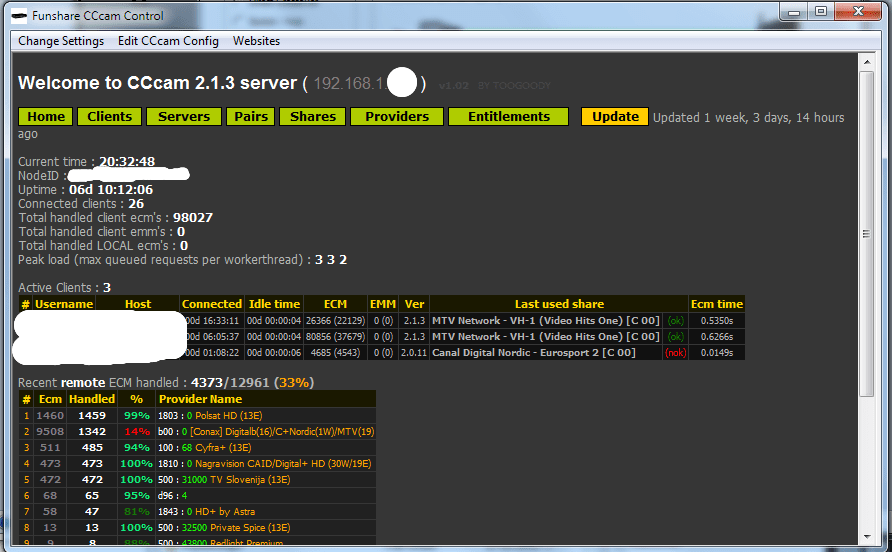
For me this is the best CCcam activity monitor. It looks nice, it works with Windows 7 x64 OS and offers all kind of information (Shares, Providers, Clients, Servers, Entitlements) about CCcam. Its actually so good that I miss it now that I use OScam. Software is not developed anymore and you can easily find the newest version if you type “Funshare CCcam Control” into Google. I think that latest version is 2.1.1 (2010). It can connect to all CCcams (even 2.3.0) and it does not matter if your CCcam server works on receiver or on Windows/Linux server.
3# VLC Media Player
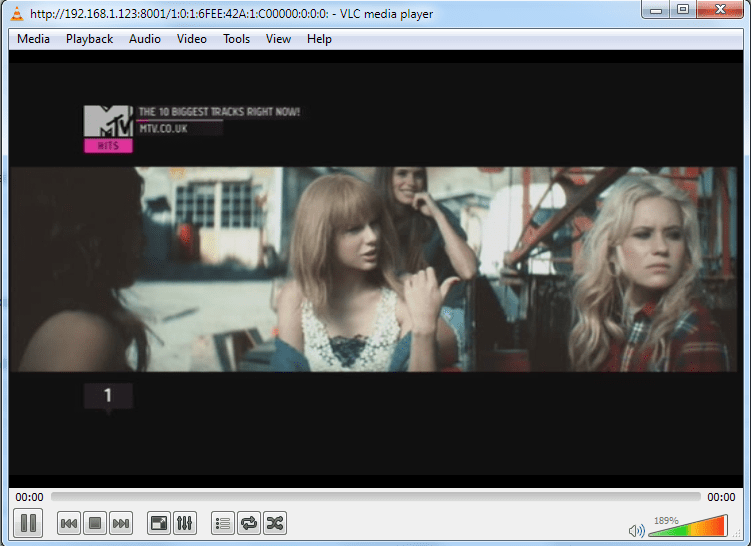
This application is a must have if you are using streaming function of E2 receivers. VLC opens when you click desired channel in OpenWebIF for example. OpenWebIF is used with open source images like OpenPLi, ViX and others. Dreambox uses different version which is closed source!
4# WINSCP FTP Client
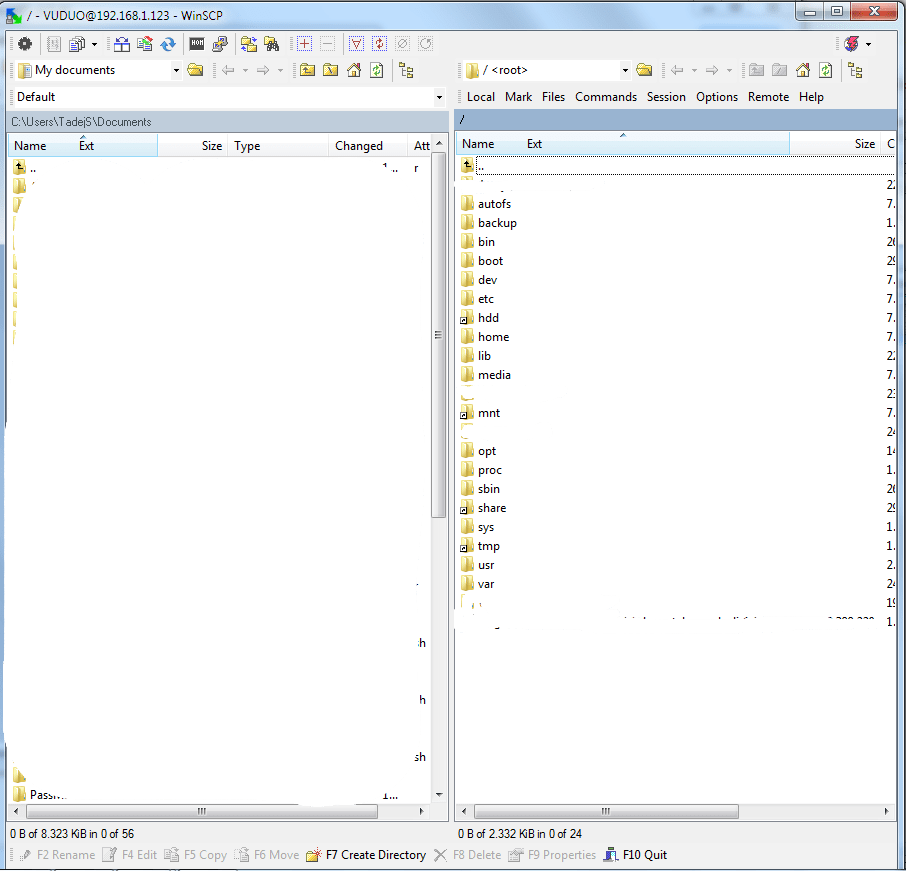
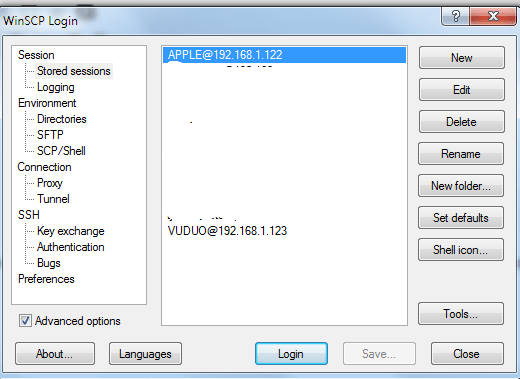
This FTP client is completely free and I strongly recommend it. It supports SFTP (SSH File Transfer Protocol), SCP (Secure Copy Protocol) and FTP protocols. You can also edit all files directly from this software as it has built-in text editor. If you do not like it, you can replace it with external text editor (I recommend Notepad++). You can do this in WINSCP settings. For more information and download just visit official website!
5# IPK Creator
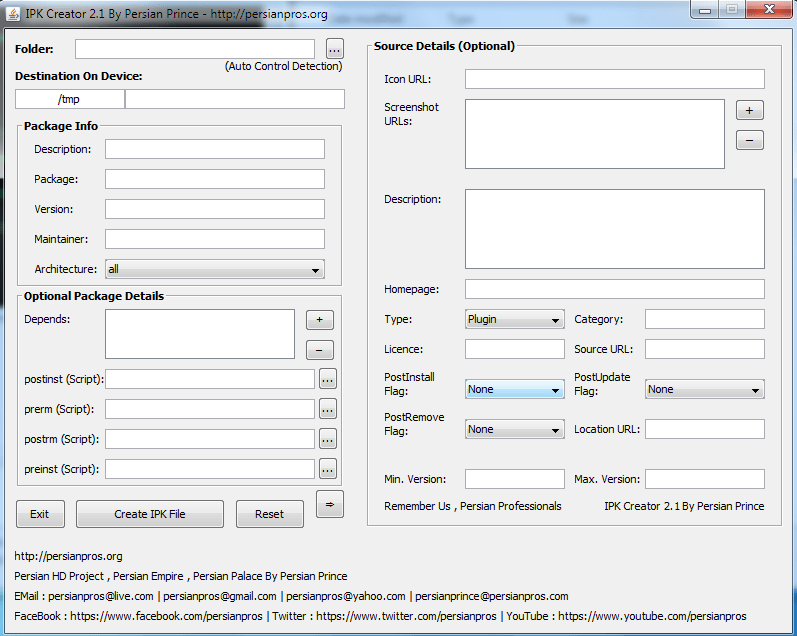
Thanks for suggestion iMaxxx. If I remember correctly you are the author of MetrixHD skin? Amazing skin btw!
I have never used this plugin before but I decided to test it following suggestion by commenter iMaxxx. It really is very handy tool for all who want to make .ipk files. First you need to prepare all files and correct folder structure. If folder structure is incorrect, .ipk file wont install properly! Folder structure for skins (example) looks like this:
PLI-HD PLI-HD/CONTROL PLI-HD/usr/share/enigma2/PLi-Full-HDControl folder contains file “control” which includes various data (example) like this:
Package: enigma2-plugin-skins-pli-hd
Version: 1.0
Description: Skin modded by X for OpenPLi 3.0
Architecture: all
Section: extra
Priority: optional
Maintainer: XXX
Homepage: XXX
OE: enigma2-plugin-skins
Depends: enigma2
Source:
When you point IPK Creator to the folder PLI-HD, it automatically picks up the data from control file. Then you can edit this file via IPK Creator. Usually, nothing else needs to be changed, but as you can see on the picture, you can also add various scripts and other stuff. I usually do not need these but you might! After you finish with setup, just press “Create IPK file” button. Application then asks you to confirm file destination. IPK file is then created and process lasts only a few seconds. I can firmly say that this app is nice alternative to opkg-build method that I use for building .ipk files. I will now definitely switched over to IPK Creator made by Persian Prince! Latest version is 2.1 and it is based on Java. I tested it on W7 x64 and it works perfectly (check if Java is installed on your system!).
Conclusion
I hope that I helped you to choose really must have applications for Windows. There are other applications too but in my opinion “normal” users do not need anything else! I also did not include so called “Toolboxes” which contains collections of different applications. My opinion is that it is the best thing to download all applications that you need and use them. Forget “Toolbox” applications. If you have any other suggestions or you think that I forgot to add something, please leave a comment! I will try to reply as soon as possible. Thanks for reading.
For discussion please visit this thread:
https://www.satnigmo.com/2214/top-windows-tools-for-enigma-2-receivers/
Enigma 2 Tools for MAC OS X
I am not using Apple computers but I decided that it would be appropriate to find all E2 tools that work on Apple equipment. First tool that I would like to present you is:
iDreamX
With this software you can edit your favorite lists (bouquets), read and search the EPG, set and edit timer events, watch television or hear radio. iDreamX works with MAC OSX and with all Enigma 2 receivers: Dreambox, VU+, Xtrend, Clarke-Tech, GigaBlue, Azbox, etc. Latest version can be obtained on this webpage! I cannot tell you my personal experiences with this piece of software but you really dont have any other options if you have only Apple computers at home. But I believe that this software is good and I also see that author is regularly updating it.
IPKG Builder
This tool comes handy when you want to create .ipk files in order to distribute your own or modded plugins and skins. This tool does all dirty work for you. It creates control file, debian-binary file, it compresses individual files and put them into ipk file. If you decide to use this tool and have any problems or suggestions, please send an email to the author: dimfil.sat@gmail.com
Sadly, this is the end of this list of OSX supported Enigma 2 tools. If you are aware of any other tools for OSX, please leave a post here: https://www.satnigmo.com/forum/index.php?threads/enigma-2-tools-for-mac-os.559/
Oscam and Loadbalancer
Loadbalancing feature in OScam helps to determine which of the configured readers should be used to serve an ECM request. This is especially handy if you have two identical local cards or large number of cccam/newcamd or other readers. I will present you my loadbalancing configuration that i use on my OScam server.
First you need to visit global/loadbalancer section of WebIF. Then search for these settings:
lb_mode                       = 1
lb_save                       = 100
lb_reopen_mode                = 1
lb_savepath                   = /usr/local/etc/stats

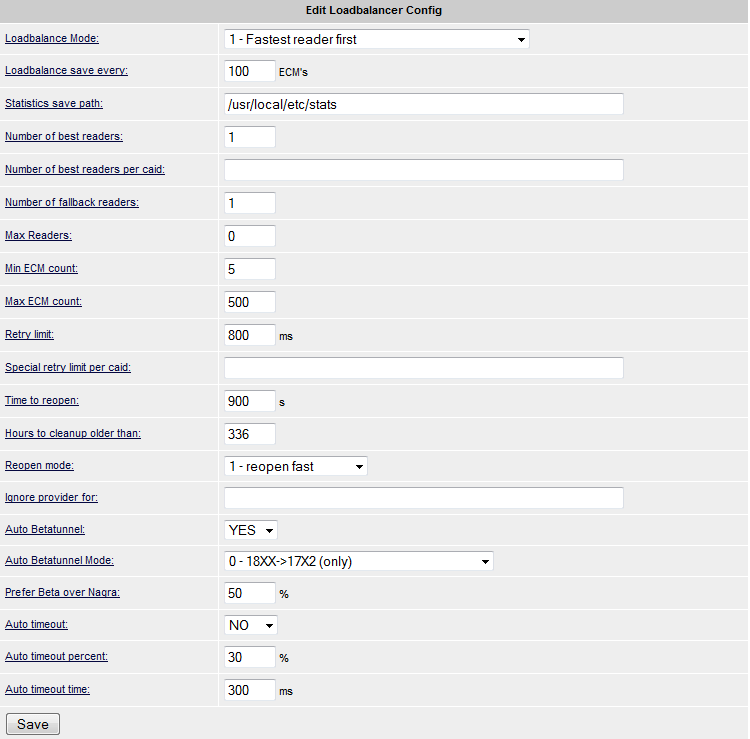
lb_mode = 1 means that the weight for a reader is divided by the average response time of requests sent to the reader, i.e. lower average response time means higher priority. My recommendation is that you use mode 1.
lb_save = 100 means that stats file is updated every 100 ecm. If you have OScam on your PC (more CPU power) than you can decrease this setting to 50 or even lower. If you have OScam on satellite receiver then you should leave default value which is 100.
lb_reopen_mode = 1 is my recommended setting.
lb_savepath can be changed. I use /usr/local/etc/stats but you can use something else if you want or need.
You do not need to change anything else here. Now you need to visit reader part of WebIF and modify lb_weight value. I suggest that you put lb_weight = 300 if you have local cards. This means that these local cards will have priority over normal readers (cccam/newcamd/camd35, etc.). For other readers you can just leave default value which is 100. If you have 0100 Cyfra local card, you probably do not want that OScam uses this card from cccam readers. Well, loadbalancing will help you achieving this goal.
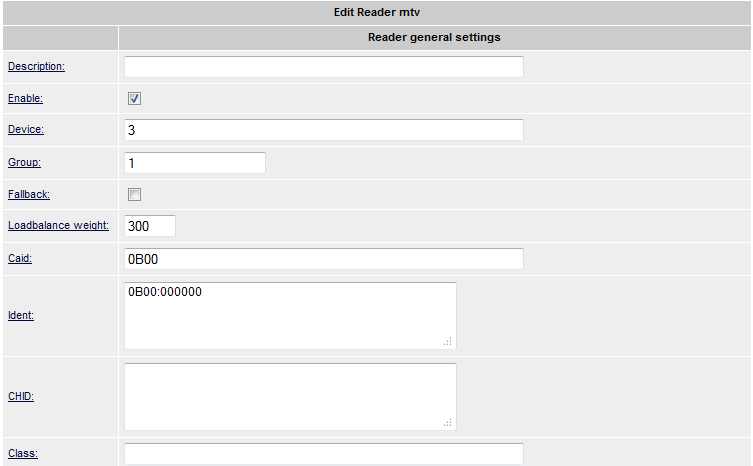
I think I covered all loadbalancing basics and you are now good to go. If you have any questions, please use “Contact Us” form or leave a comment!
Top 3 skins for OpenPLi
These skins can only be used with OpenPLi. If you will use them with other images you can get booting problems or green screens (restarts). Two of them are already available via OpenPLi feed, one is only available on PLi forum.
1. PLACE = MetrixHD skin by iMaxxx and modified by Taykun345 from PLi forum
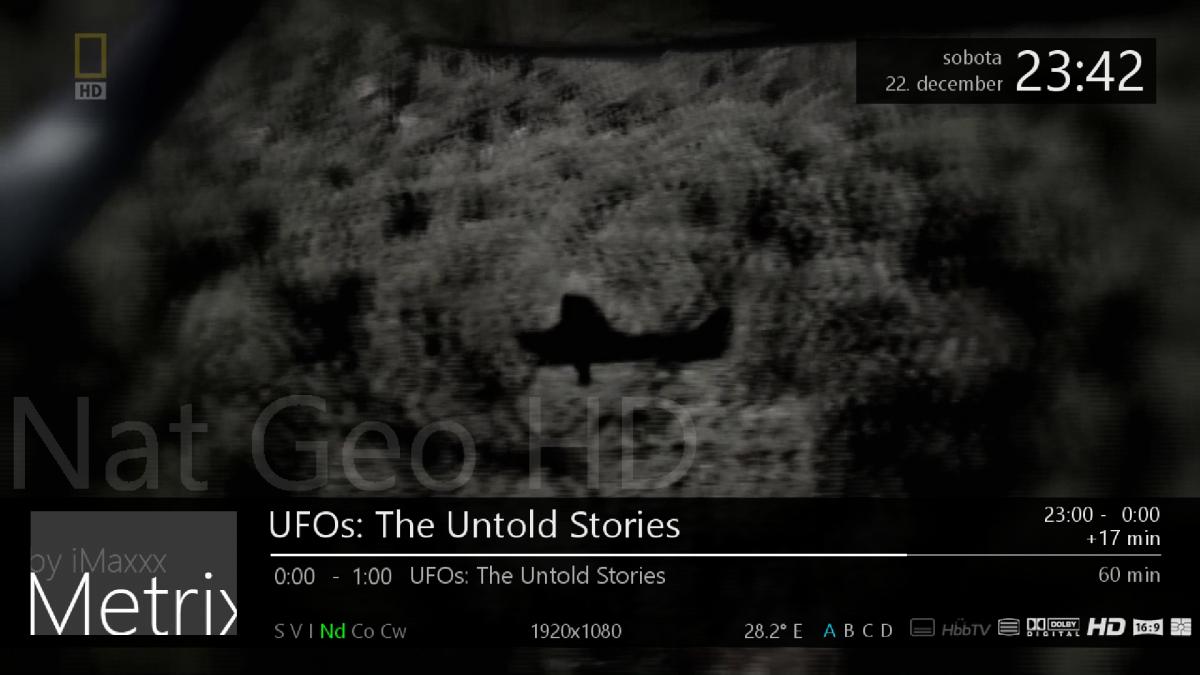
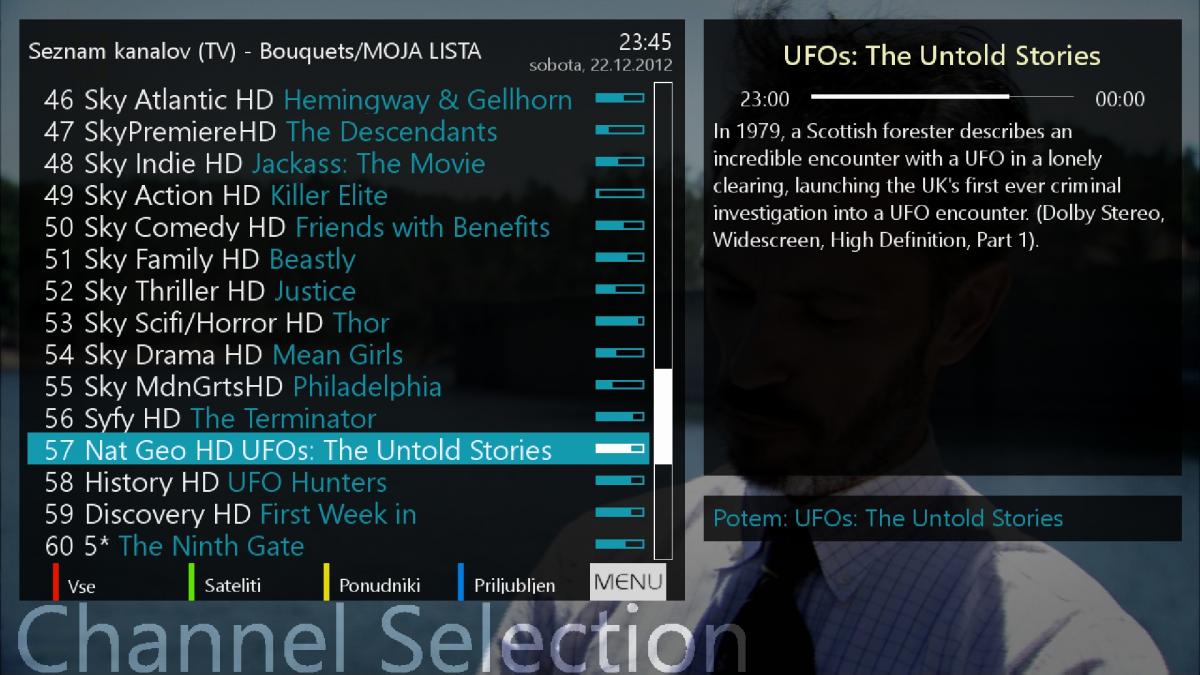
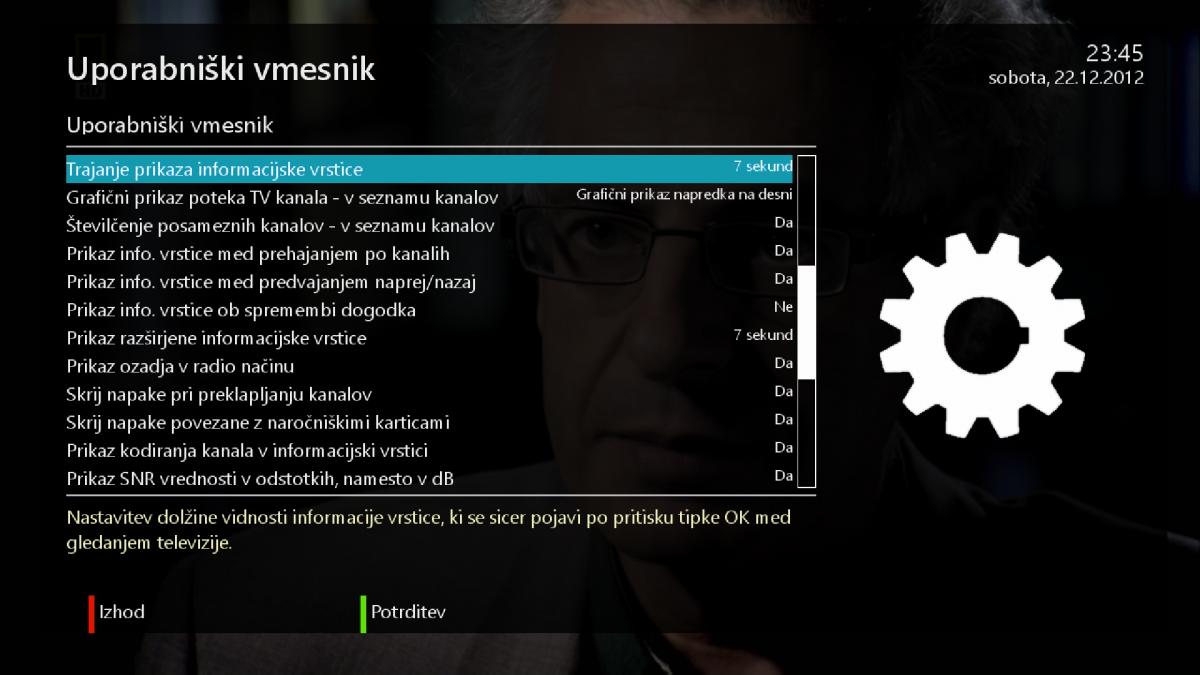
Skin uses very simple graphics and therefore it is suitable for weaker receivers. Simple graphics does not mean that this skin looks bad, its just that it tries to mimic Windows Phone styling. Ipk file can be found on OpenPLi forum and it cannot be downloaded from OpenPLi feed (yet)!
2. PLACE = MoodBlue HD skin by Army and modified by Taykun345 from PLi forum
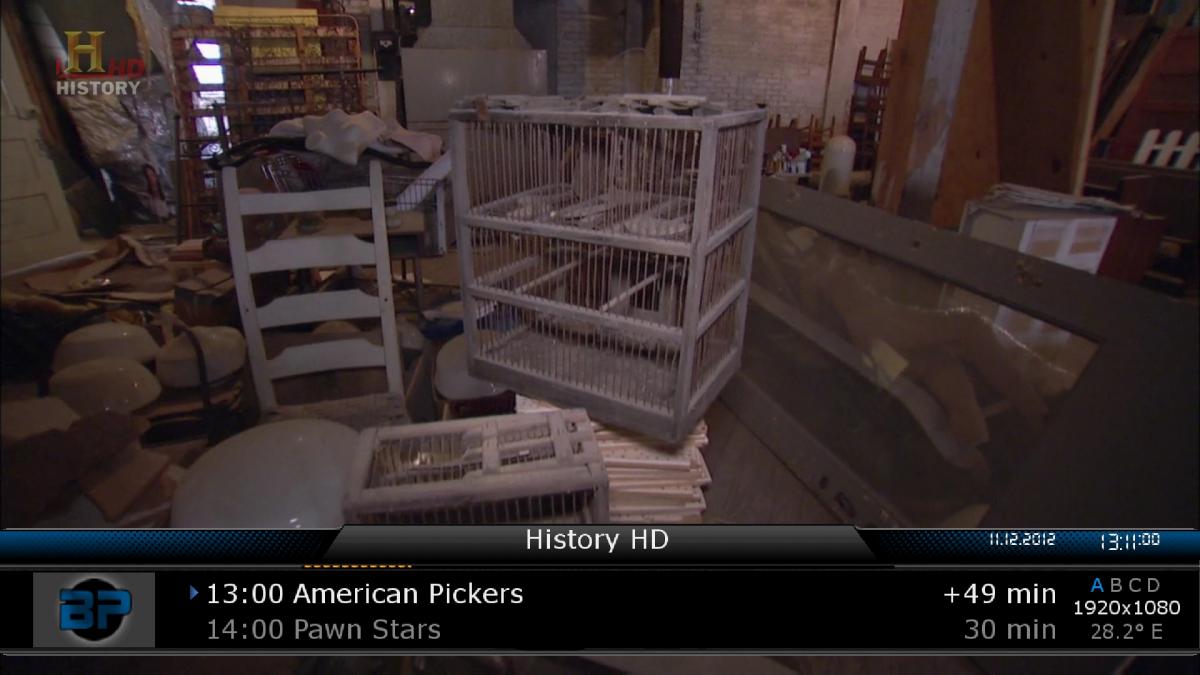


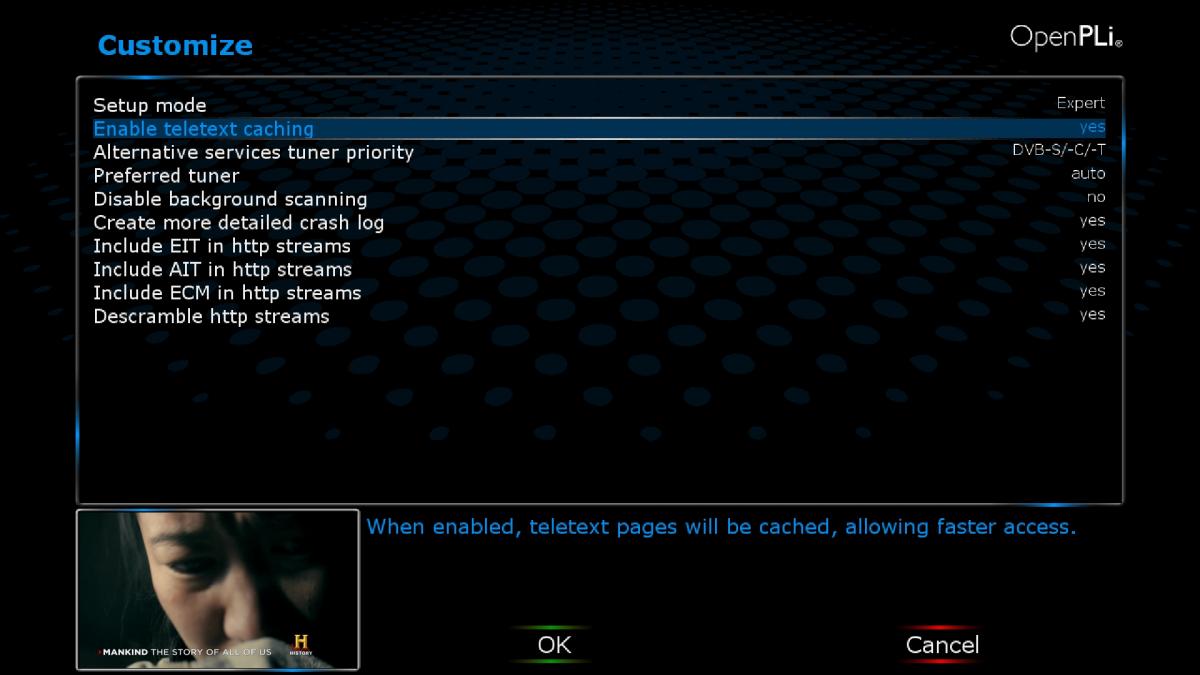
Skin is made by Army who is working with BlackHole team. He really knows how to make good graphics but coding is a bit less good. Skin uses dark colors and it is even better if you like “night” skins. It was my skin of choice for many months, then i switched to MetrixHD skin which was released recently! Skin is ready to be downloaded from OpenPLi feed!
3. PLACE = MX-HD2 skin by Matrix10 and modified by Taykun345 from PLi forum
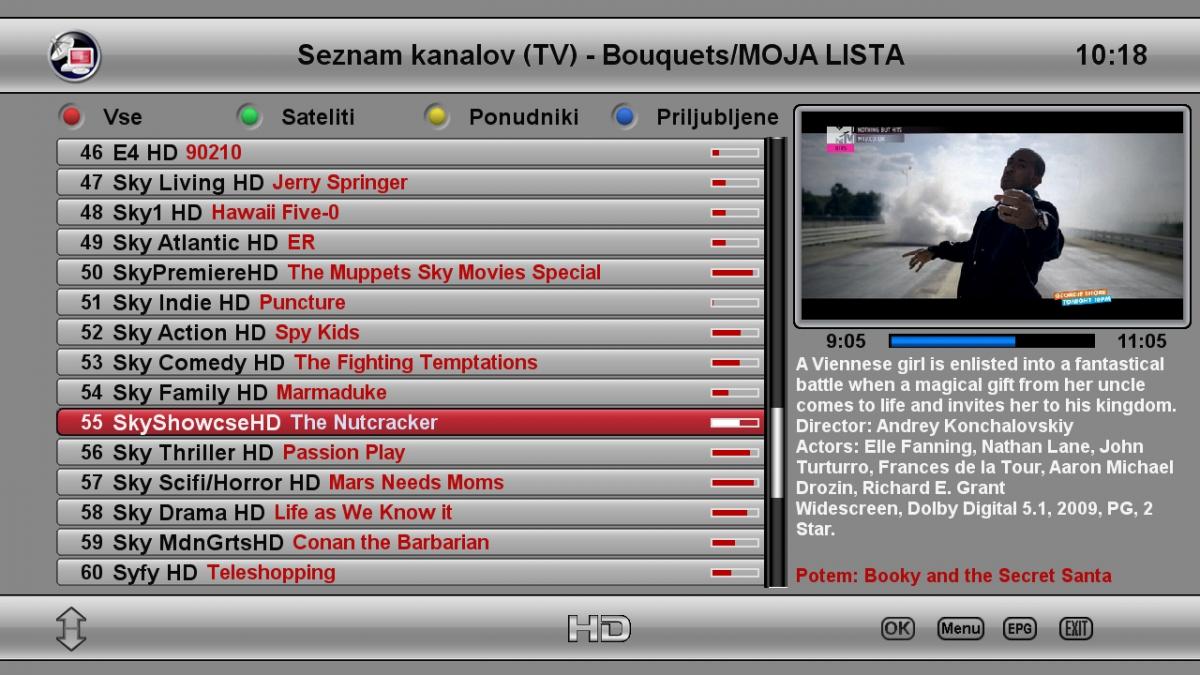
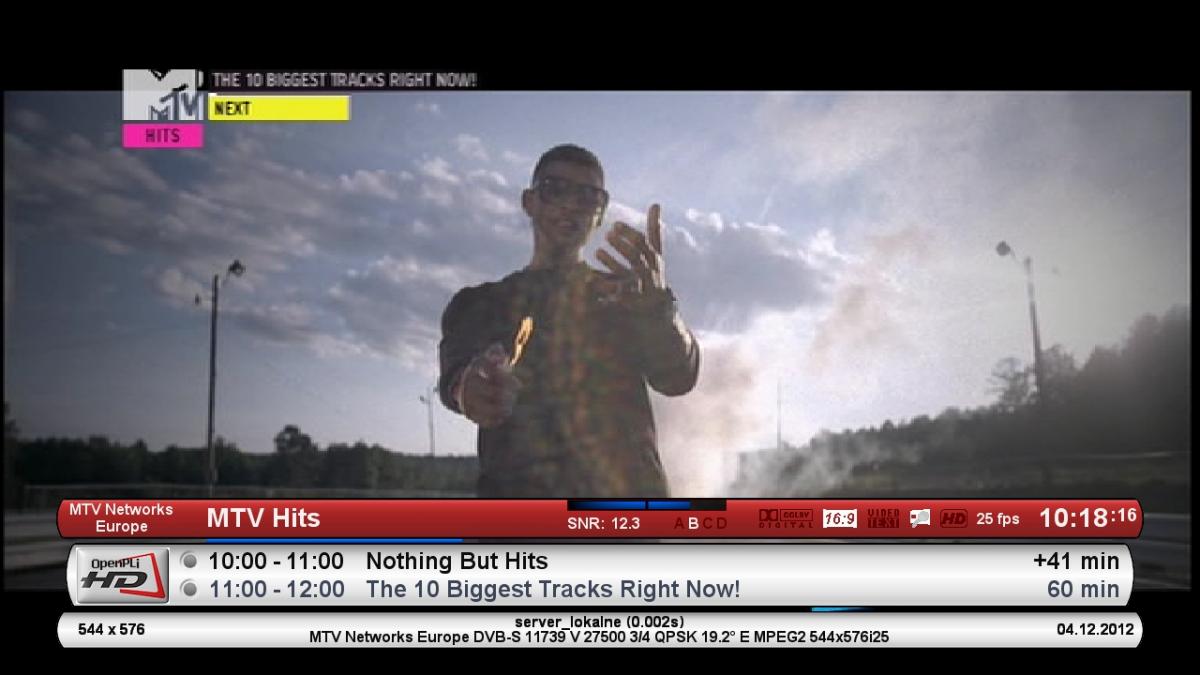
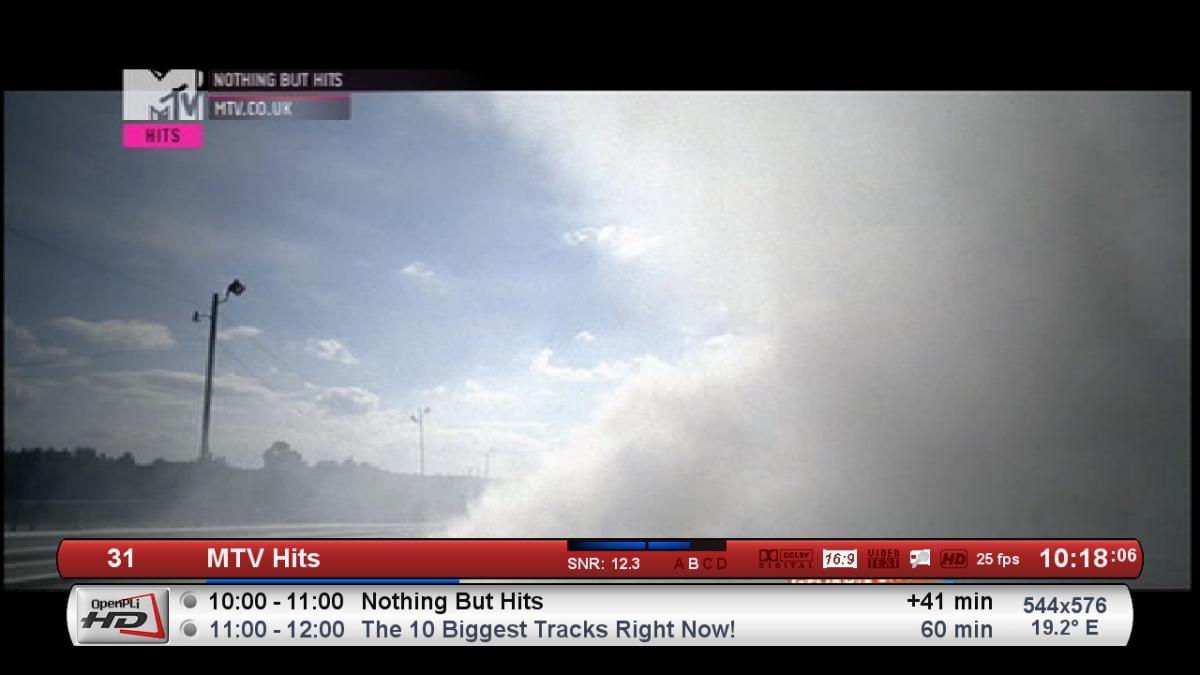
Skin is made by Matrix10 who is also working with BlackHole team. Very nice graphics and coding style! Skin was donated to OpenPLi by Matrix10 himself and because of that is also available on OpenPLi. It is a bit bright, so it is not suitable for users who do not like bright skins. Especially at night it can be a bit annoying to have such bright colors. Originally it was even brighter but author provided darker graphics! Skin is ready to be downloaded from OpenPLi feed!
All images are taken from OpenPLi forum, all credits go to Taykun345.
