


New Vu+ kernel and drivers now available also for OpenPLi
OpenPLi announced today that they now supports newest kernel and drivers for Vu+ receivers. Original news:
We are glad to announce that VU+ has been added to our line-up of manufacturers that support OpenPLi with a so-called BSP layer. This means amongst others: up to date DVB drivers / Linux kernels on VU+ receivers and official OpenPLi images for the SoloSE and Zero models. Due to the vast amount of changes to the VU+ images, we strongly recommend, for every VU+ model, to do a clean flash with an image from today or newer. We cannot give support on VU+ receivers that only have heen upgraded after today.
You can download their images here: http://openpli.org/download/vuplus/
There are also images for Vu+ Zero and Solo SE which haven’t been available before.
Vu+ Duo 2 sluggish after some time of operation?
Old Vu+ Duo is known to leak memory and after some time receiver can start working really slowly or it just freezes. Solution is either to have very little EPG (it is stored in memory) or to use one clever little plugin which I will reveal later. I though Duo is the only Vu+ to have problem with memory and speed. I guess I was wrong …
Vu+ Duo 2 is newer version but it sadly suffers from the same problem. After using it for a while remote control becomes unresponsive and image becomes slower overall. I guess Vu+ drivers are again to blame here but it is hard to understand this because Duo 2 has fast CPU and plenty of RAM.
How to fix this annoying problem?
You need to install plugin CacheFlush which is usually available from image feed. In case of OpenPLi you can easily download this plugin from feed. Then you only need to configure it via Addons menu and thats it. You will notice instant improvement in speed after executing this plugin! Sadly I cannot find .ipk file of this plugin but you can manually install it if you visit plugin’s github page.
I am using OpenPLi, so Duo 2 might not have this problem if you use other images.
Dreambox DM7080HD soon in stores …
Dreambox is preparing to release new flagship receiver. It should have these specs:
– 7000 DMIPS (40nm) [BCM7435]
– 4GB flash
– 2GB RAM
– Enigma 2 & OpenGL
– 1080p & HDMI 1.4a
– GigaBit Ethernet
– SATA3
– USB 3.0
– eMMC
– Bluetooth Low Energy (BLE)
– 4 Tuners (1x Dual-S2 & 2 free places for DVB-S2 or DVB-C/T – reciever
– it comes with dual S2 tuner
It has some interesting perks like eMMC, bluetooth, USB 3.0 but the real question here is are these perks useful in real life operation? We shall see …
Here are some pictures of the carton box, receiver and CPU information:
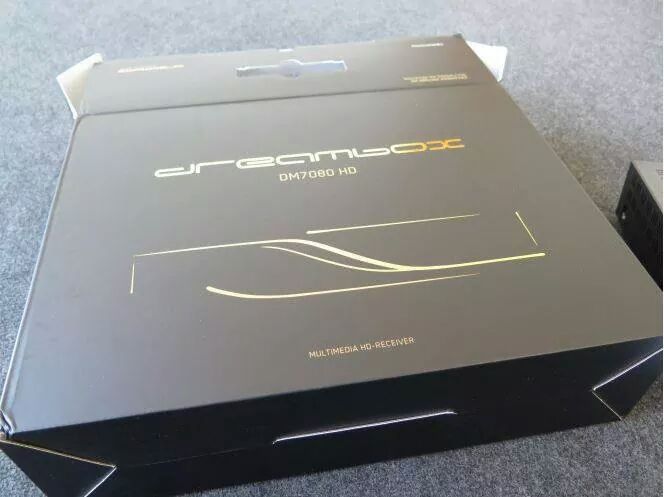
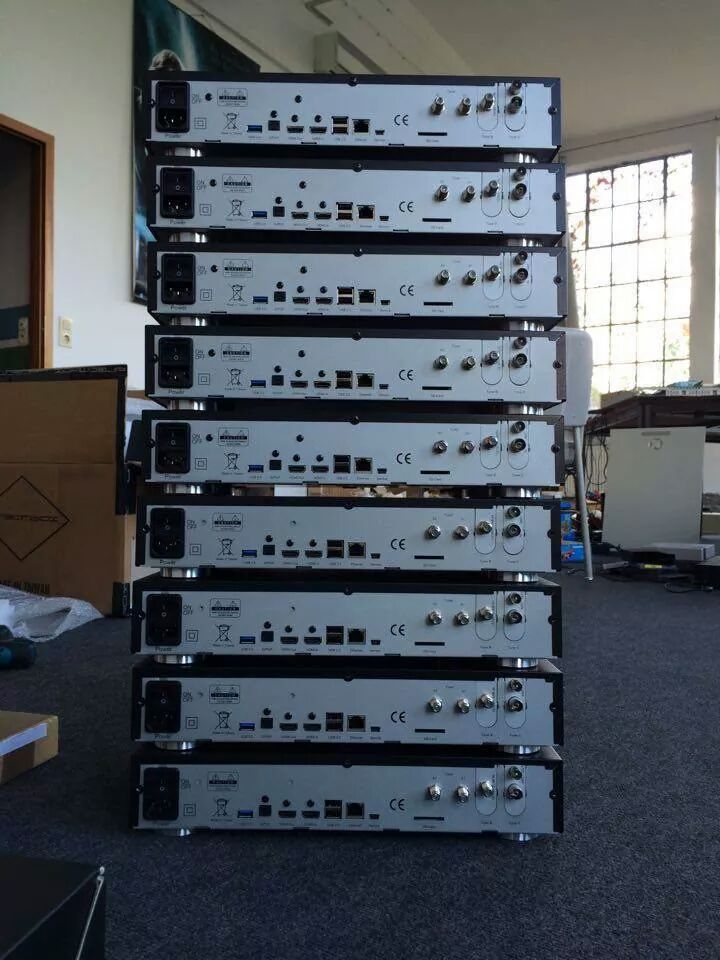
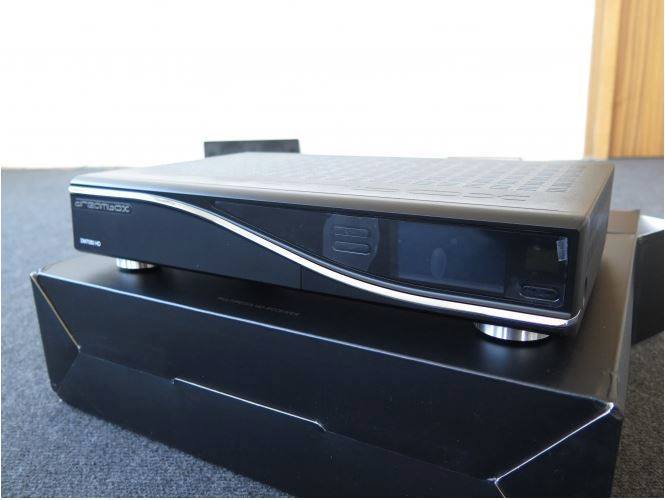
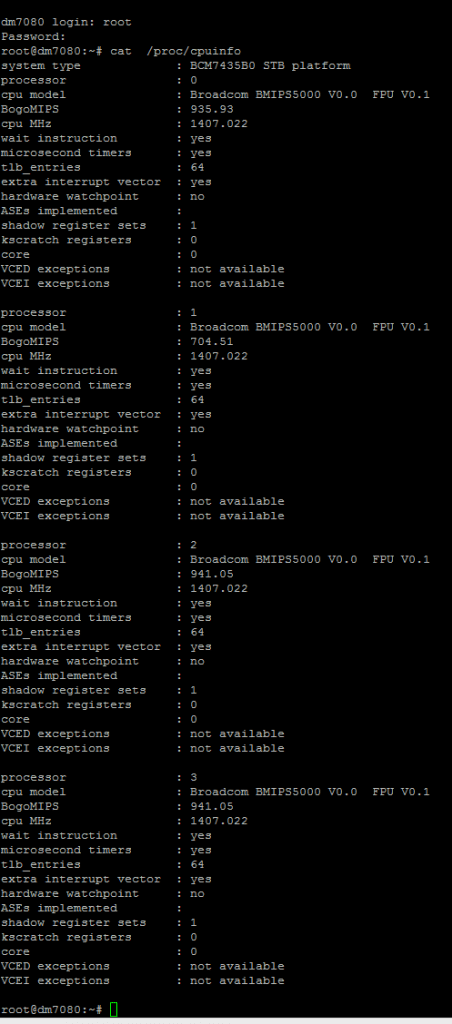
More really high quality pictures can be found here: http://www.dream-elite.net/forum/announcements/14538-dm7080hd-photos.html#post92271
And here is the video which basically just shows OSD animations.
You can already find 7080HD on idealo.de with the lowest price of 499 EUR – 11.09.2014. More information are about to come in a few days – stay tuned!
Opticum AX-Quadbox HD2400 Coming in September
Opticum is releasing new receiver in September 2014. Specifications are good and on pair with other receivers for moderate initial price of 399 EUR but design could be better. Maybe in real life receiver will look better than on pictures that are available on the Internet.
Specifications
– neuster Broadcom BCM Chip 7424
– 1300 DMIPS Prozessor (Dual Core)
– 4x “Plug & Play” modulare Tuner (DVB-S2 / DVB-C / DVB-T/T2 wählbar)
– Flash: 1GB
– RAM: 2GB DDR3
– 2x CA (Kartenschacht)
– 2x CI-Schacht für CI-Module
– 3x USB (1x Frontseite, 2x Rückseite)
– Transcoding-Funktion
– WakeOnLAN (WoL)
– HbbTV
– 1x HDMI IN (mit Aufnahme)
– 1x HDMI OUT (1.4 Anschluss)
– Gigabit LAN (1 Gbit / 1000 Mbit)
– Dolby Digital Plus (DD+) für diverse französische HD-Progamme via SAT u. DVB-T (H.264)
– Interne Festplatteneinbau möglich (2.5 Zoll-Festplatten)
– OLED-Display (255×64)
…


As you can see it has lots of flash and ram, 2 cardreaders, 2 CI slots, 3x USB connectors, transcoding support (Xtrend still hasnt implemented transcoding for ET-10000), WOL two HDMI connectors (IN/OUT – I really do not see added value for HDMI-IN, but others might be using this on ET-10000), OLED screen (better one good screen than one good other one bad – VU+ DUO 2), space for 2.5″ HDD inside the receiver, external power supply, etc.
This might be good alternative to existing receivers and I really hope they will provide good support for drivers and excellent remote control. Support might be good as they already sent needed patches to OpenPLi team so we can expect OpenPLi image from the beginning! Images cannot be downloaded yet but I expect that they will be available in September. OpenATV on the other side already offers images for this receiver. Regarding remote control. I am allergic to receivers with amazing specs and poor remote control. Good remote control should have quality buttons, good range and instant response! I hope they will deliver.
How to attach EPG to IPTV channels in OpenPLi
EPG for IPTV channels has been an common request for many years now but I simply abandoned this area because I havent been successful with attaching EPG to IPTV channels. Athoik from OpenPLi forum faced the same problem last year but as he has coding abilities he was able to fix the issue in OpenPLi. From the 20.12.2013 we can attach or append EPG to IPTV channels but this requires some manual work (also using FTP) and is not for complete E2 noobs.
Here is short tutorial for all who want to finally see EPG on your favourite IPTV channels which are getting more and more popular:
1. Create test.channels.xml file using Notepad++ and add this test content:
<?xml version=”1.0″ encoding=”latin-1″?>
<channels>
<channel id=”PlanetTV.sl”>1:0:1:E:10:1:FFFF0000:0:0:0:http%3a//example.com</channel> <!– Planet TV –>
</channels>
http%3a//example.com part at the end is mandatory and you should not change it. XMLTVimport needs the http%3a// (whatever) just to start a fake recording and then to import EPG.
1:0:1:E:10:1:FFFF0000:0:0:0: is real channel reference for channel Planet TV on local DVB-C network. You can also use reference from channel on satellite (DVB-S/DVB-S2) or regular antenna (DVB-T/T2).
PlanetTV.sl is the real channel id which you can get if you open rytec.sources.xml file which is located in /etc/epgimport on your receiver. PlanetTV is part of Slovenian rytec package so you just need to check for Slovenian XMLTV (or any other country package, it depends on your needs) in rytec.sources.xml file and then copy one of the urls to your browser and download *.gz file where you can get all channel ids for selected country.
After you finish editing test.channels.xml file, copy it to etc/epgimport folder on your receiver.
2.Create test.sources.xml using Notepad++ and add this test content:
<?xml version=”1.0″ encoding=”latin-1″?>
<sources>
<source type=”gen_xmltv” channels=”test.channels.xml”>
<description>Test XMLTV</description>
<url>http://rytec.sifteam.eu/rytecxmltvexyu.gz</url>
<url>http://xmltvepg.wanwizard.eu/rytecxmltvexyu.gz</url>
<url>http://enigma2.world-of-satellite.com/epg_data/rytecxmltvexyu.gz</url>
<url>http://www.xmltvepg.nl/rytecxmltvexyu.gz</url>
<url>http://www.vuplus-community.net/rytec/rytecxmltvexyu.gz</url>
<url>http://www.ebook-directory.net/rytecxmlepg/rytecxmltvexyu.gz</url>
</source>
</sources>
First you need to open rytec.sources.xml file and find section dedicated to your country. In my case I had to search for Slovenian rytec package. Then you need to copy this part and paste it in your new file named test.sources.xml. Here you need to change channels=”xxx” part. In my case I had to change it to test.channels.xml file which I created earlier. Also change description to something else, I just used name Test XMLTV.
After you finish editing test.sources.xml file, copy it to etc/epgimport folder and restart Enigma 2 – GUI.
3. Now you need to add this IPTV channel to Enigma 2. I already explained how to add IPTV channels to E2 bouquets in my older article which is located here: https://www.satnigmo.com/?p=2681
In my case I had to add this channel:
#SERVICE 4097:0:0:0:0:0:0:0:0:0:rtsp%3a//origin.biokoda.tv/live/mbit-planet?k=planettv-public:Planet TV
#DESCRIPTION Planet TV
This version does not work with EPG, I was forced to tweak it a bit:
#SERVICE 4097:0:1:E:10:1:FFFF0000:0:0:0:rtsp%3a//origin.biokoda.tv/live/mbit-planet?k=planettv-public:Planet TV
#DESCRIPTION Planet TV
As you can see the only change are the letters and number after the 4097 part (the same applies to 1:0:1… channel reference). They need to match channel reference in test.channels.xml file.
4. Start EPG import in XMLTVimport plugin which might not be available for your favourite image. If you use OpenPLi, you can add it. EPG should appear or IPTV channels. If not, please write an message on Satnigmo forum, link is available below.
You can discuss this article on forum: https://www.satnigmo.com/forum/index.php?threads/tutorial-how-to-attach-epg-to-iptv-channels-in-iptv.2154/
RELATED ARTICLES:
1. https://www.satnigmo.com/2681/put-iptv-channels-enigma-2-bouquets/
2. https://www.satnigmo.com/2577/how-to-autostart-udpxy-on-enigma-2-based-receivers/
3. https://www.satnigmo.com/2302/converter-for-enigma-2-iptv-channels/
4. https://www.satnigmo.com/896/iptv-on-dreambox-vu-xtrend-and-clarke-tech-receivers/
